Getting my photos Google-free – how to move from Google Photos to PixelUnion and quickly host your photo albums in Europe
I’ve been wanting a Google-free alternative for my photos for a long time. Then one day, I stumbled upon PixelUnion on Mastodon (thanks to my “For You” algorithmic feed). The migration was a quick two-day job and didn’t take long because PixelUnion has a great migration tool that doesn’t require downloading a terabyte of photos onto your hard drive, which you probably don’t have space for anyway.
I’m not going to rant too much about privacy, but as someone who values it, I try to keep as much as possible hosted in Europe, but I cannot completely avoid the US. This one here is one thing I can actually control.
PixelUnion’s instructions are quite straightforward, so I’m just repeating them here plainly.
- Export your photos using Google Takeout at takeout.google.com
- Log in to your PixelUnion account and go to Utilities → Open Google Photos migration
- Click Google Photos migration, then select Create migration
- Repeat the upload and migration steps. PixelUnion automatically removes duplicates, so it doesn’t matter if you upload the same ZIP files twice by mistake.
What took the longest was waiting for Google to zip the photos, then downloading 25 zip files three at a time, uploading them to PixelUnion’s tool, deleting, and repeating. Since I do not have much hard drive space, doing it three at a time worked best for me. Of course, the ideal approach would be to download everything to an external hard drive for an extra backup, just in case.
Why migrate
Google Photos has been slow and almost unusable for me for a long time. It’s hard to browse older photos since they take forever to load. The PixelUnion migration tool actually transfers all your data, including albums, places, locations, and more. I didn’t expect that, but it’s impressive how complete the migration is.
The Immich app is really fast on the iPhone, unlike Google Photos, which performs terribly on Apple devices. The real-time backup from the iPhone also works flawlessly, while Google Photos backups rarely work or are often delayed.
The price is amazing. Paying just a couple of bucks for 450 GB of space is a great deal. My photos since 1996 take up about 250 GB, so I still have plenty of headroom. I could self-host everything like I do with my Nextcloud, but the hard drive alone would cost more than a few bucks and setting it up would be a lot of work.
Delete Google Photos
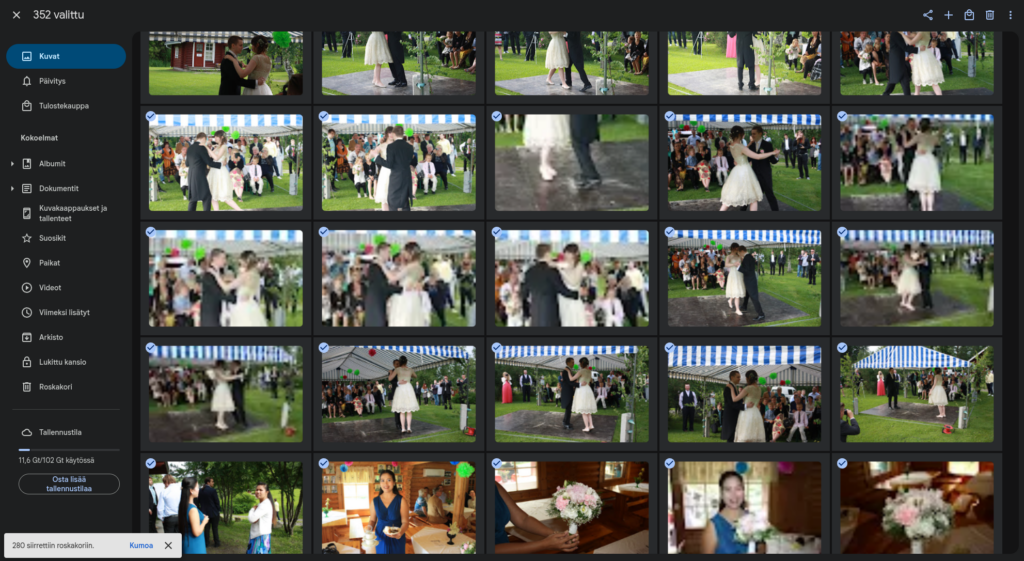
If you do not want to keep your photos on Google, you can delete them using the Google Photos delete tool (it’s open source, btw) since Google does not have one “nuke all” button. It is a bit clumsy and sometimes crashes, but at least you can remove thousands of photos with a single click. It took me a couple of days to delete them all.
PixelUnion for the win – the features you wouldn’t expect
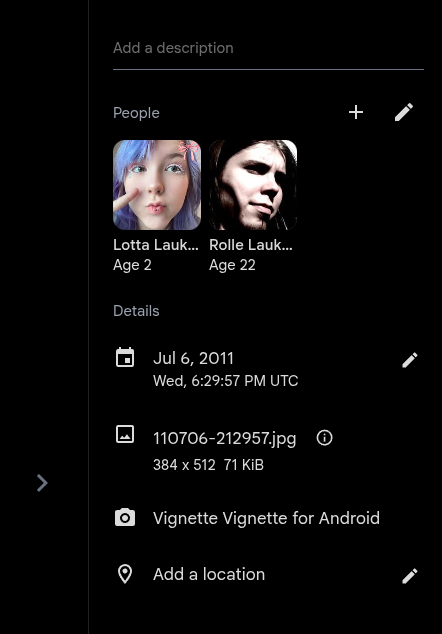
I love that I can add birth dates for people and see their ages in the pictures. As far as I know, Google Photos does not have that feature. The face merging and tagging are also much better than on Google. The locations even show on a map!
PixelUnion is based on Immich which is an amazing piece of open source software. Apps like Immich and PixelUnion have a lot of great features for managing your photos, and it’s incredibly fast. It’s nice knowing my data is safe in Europe. What’s not to like?
I can honestly say I highly recommend this product. This is not a paid advertisement. Please show them some support by following them on Mastodon.
 @rolle
Comments
With an account on the Fediverse or Mastodon, you can respond to this post. Since Mastodon is decentralized, you can use your existing account hosted by any Fediverse compatible platform or create a new one. Known non-private replies are displayed above.